
DevOps for applications, containers and Kubernetes
We provide DevOps for the applications we build and take over: releases run automatically instead of by hand. Every application runs in a Docker container, with its infrastructure defined in Terraform or AWS CDK and deployments run by GitHub Actions. When an application grows into many services, we run it on a Kubernetes cluster.
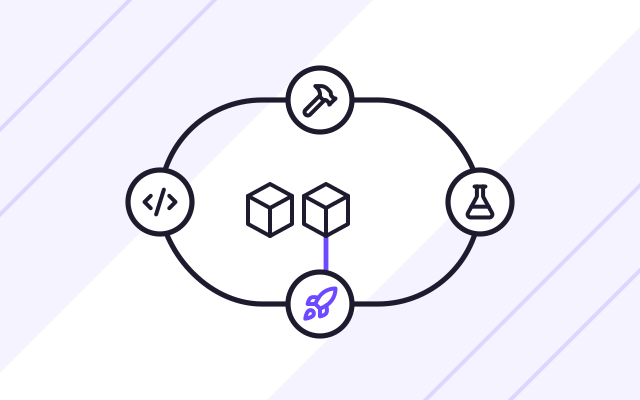
When an application needs DevOps
-

Releasing a new version is a manual procedure
Someone logs in to the server, copies files and restarts the service. We replace this with an automated deployment pipeline that builds, tests and deploys the application once a change is approved.
-

It works on the developer's machine but not in production
Different library and system versions on laptops and servers cause bugs that are hard to reproduce. A Docker container holds everything the application needs.
-
Nobody knows how to rebuild the environment
The configuration grew over years, by hand and without documentation. Once it is defined in Terraform, the environment can be rebuilt and every change to it can be traced.
-

The application has grown into many services
Several services, queues and background jobs are hard to keep running by hand. A Kubernetes cluster starts, scales and restarts each of them on its own.
Kubernetes or a cloud container service
Kubernetes pays off in three situations: when an application has many services that scale separately, when several teams deploy their parts independently, and when the application has to run across different clouds. All services are then started and monitored the same way. In a managed cluster, the cloud provider maintains the control plane.
Most business applications need something simpler. We run a single containerised application on a cloud container service such as ECS Fargate on AWS, Azure Container Apps or Cloud Run. It costs less and needs no cluster expertise. Our recommendation always comes with a cost estimate for each option.
How a change reaches production
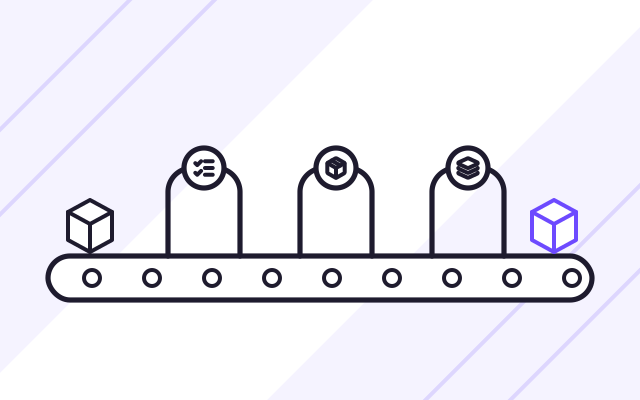
- A developer pushes a change to the repository, and GitHub Actions starts the build and automated tests.
- The pipeline checks dependencies, builds a Docker image and stores it in the cloud image registry.
- The new version goes to the test environment, where you can review it.
- Once you approve it, the same image goes to production. New replicas start alongside the old ones and take over traffic only when they respond correctly.
- If the alerts show an error, we roll back to the previous version with a single command.
Maintenance after launch, response times for incidents and further development within a set number of hours each month are described on our application maintenance and development page. For examples of applications running in containers, see Offer Exchange and Service Quotes.
What we do
- Docker images for Next.js, .NET and Node.js applications
- CI/CD (continuous integration and delivery) pipeline in GitHub Actions that tests and deploys every change
- Infrastructure defined in Terraform, AWS CDK or Bicep
- Applications running on managed Kubernetes clusters in the cloud: Amazon EKS, Azure Kubernetes Service and Google Kubernetes Engine
- Separate test and production environments built from the same files
- Passwords and keys kept in cloud secret managers instead of in the code
- Logs, metrics and alerts for each application
Who it is for
- You deploy new versions by hand, and every update risks downtime
- Your application has several services, queues and background jobs
- You are taking over an application from another company and want to bring order to how it is deployed
- You plan to move your application into containers or onto Kubernetes
A pipeline that checks every change
Every code change triggers the same sequence of steps in GitHub Actions: build, automated tests, dependency checks and a Docker image build. A version that passes every step goes to the test environment first, and to production once you approve it. On the new Conetso websites, the pipeline checks links, redirects, script size and WCAG 2.2 AA accessibility before each deployment.
- Automated tests before every deployment
- The same version in test and production
- Deployment history and a quick rollback to the previous version
Kubernetes when there are many services
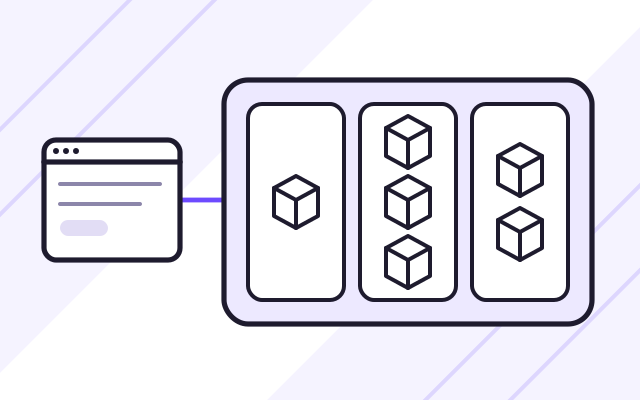
On a Kubernetes cluster, each part of the application runs as a separate service with its own number of replicas and resource limits. The cluster starts new replicas when traffic grows and restarts those that stop responding. We use clusters managed by the cloud provider (Amazon EKS, Azure Kubernetes Service or Google Kubernetes Engine) and keep the service configuration in the repository.
- Managed clusters on AWS, Azure and Google Cloud
- Automatic scaling and restarts
- Service configuration kept in the repository
Infrastructure as code in Terraform
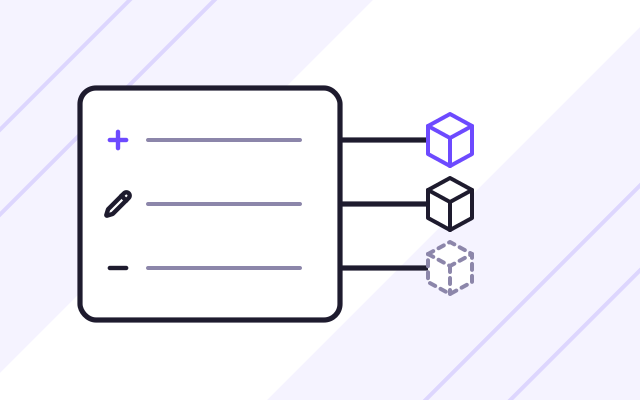
Networks, databases, queues, permissions and alerts are all defined in Terraform files. Before any change, a plan shows what will be created, changed and removed. This is how we defined the infrastructure of the new Conetso Group websites on AWS and Cloudflare. In AWS-only projects we also use AWS CDK, and in Azure we use Bicep.
- Plan of changes before every deployment
- The same modules for multiple environments
- Full history of infrastructure changes
How we work
-

Deployment review
We look at how the application is built, configured and deployed today, and which steps are done by hand.
-
Container and pipeline
The application goes into a Docker container, and we build a GitHub Actions pipeline with tests and deployment to the test environment.
-
Infrastructure as code
Environments are defined in Terraform or AWS CDK. Test and production are created from the same files.
-

Production cutover
We deploy the application to the new environment, check the logs and alerts, and then switch the domain over with no downtime.
Experience
- Offer Exchange, Service Quotes and INVENTA Licenses run in Docker containers behind an Nginx server.
- Our own product, Savanna One, is installed on client premises in Docker containers or provided in the AWS cloud.
- We defined the infrastructure of the new Conetso Group websites on AWS and Cloudflare in Terraform, and GitHub Actions runs the deployments automatically.
- We keep our code in GitHub Enterprise, with data stored in the European Union.
Case studies
-
Savanna One
Savanna One is our own product: a system for manufacturers that brings the warehouse, production and documentation together. Food producers already use it.
-
Offer Exchange
A SaaS platform for business purchasing: requests for quotation, quote comparison and orders, with a free plan and paid subscription plans.
-
Service Quotes
An application for a service company with business clients. It handles orders, staff assignment, itemised billing for completed jobs and online payment.
Frequently asked questions
Does every application need Kubernetes?
No. For a single application with a database, Kubernetes adds cost and complexity you do not need. Such an application is cheaper to run on a cloud container service, for example ECS Fargate, Azure Container Apps or Cloud Run. We recommend Kubernetes when the application has anywhere from a few to a dozen or more services, or when the application has to run across different clouds.
Can you sort out deployments for an application you did not build?
Yes. We start by reviewing the code, the configuration and the current deployment process. Then we put the application into a container and build a pipeline without changing what it does. Only once deployments run automatically do we suggest further changes.
Can we use GitLab or Azure DevOps instead of GitHub?
Yes. We build the pipeline wherever your team keeps its code. The principles are the same whatever the tool, and the build, test and deployment steps are stored in a file in the repository.
See also
-
Web application maintenance and development
On a monthly plan, we add new features, install security patches and look after the server. Response times are set out in an SLA.
-
SaaS platforms and MVPs for startups
We build first product versions (MVPs) and SaaS platforms with user accounts, subscriptions, payments, licences and APIs.